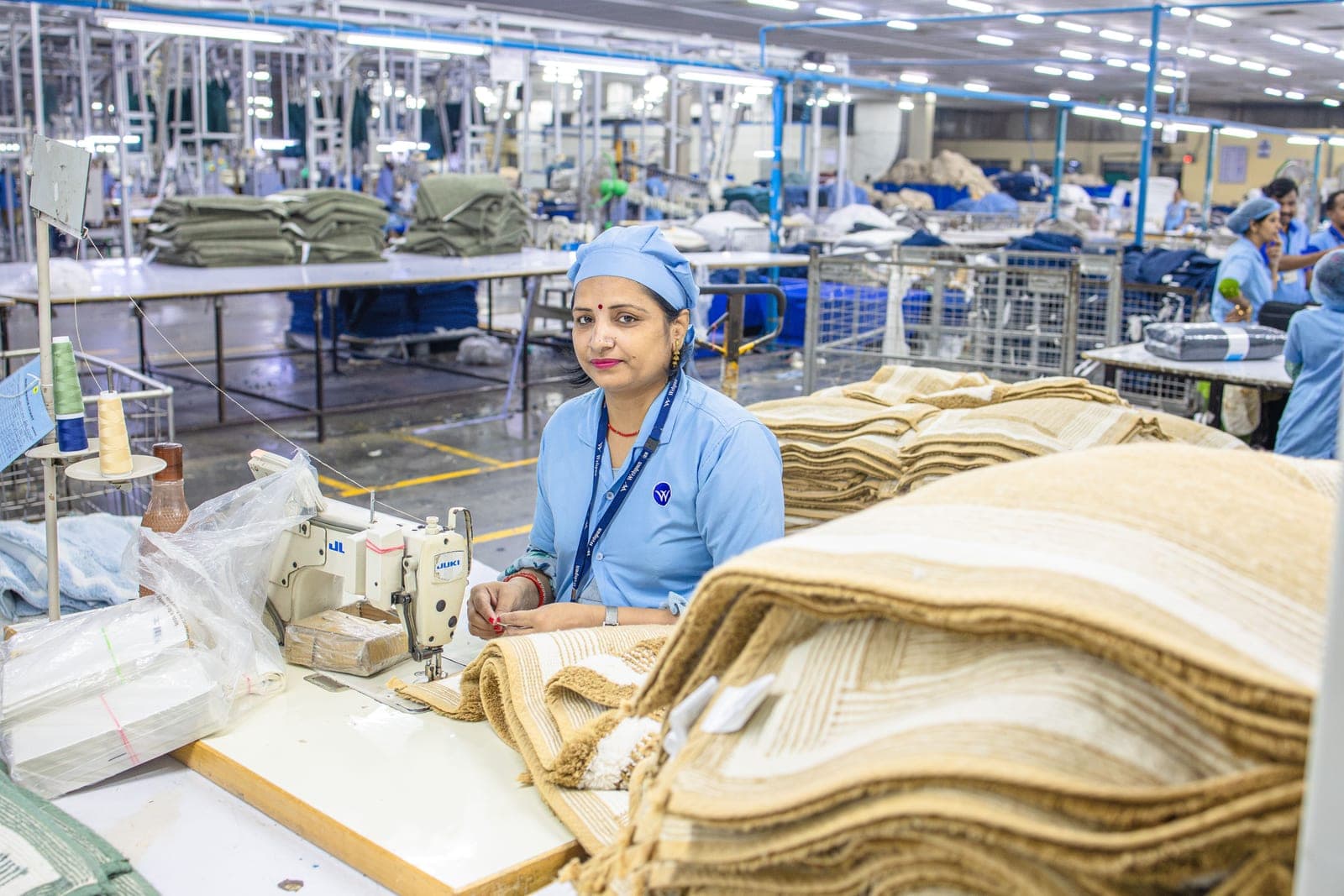
The documentation coordinator at a garment export house in Gurgaon showed me her workstation last month. Fourteen browser tabs open — one for each document type she might need for that day's shipments. A separate Excel template for each buyer's packing list format. A folder of scanned signatures for different authorized signatories. And a WhatsApp group called URGENT DOCS where the shipping team sent last-minute changes to supposedly finalized documents.
She processed thirty-five to forty shipments per month. Each required six to twelve documents. Each document took fifteen to forty-five minutes to prepare manually. Total time: approximately fifty hours per month — more than a full work week devoted entirely to creating documents from data that already existed in other systems.
The data exists — order quantities, item descriptions, values, weights, container numbers. It lives in the sales order system, the production system, the warehouse system, and the shipping system. But because these systems do not talk to each other, someone manually transfers data from one to another, reformatting for each document type.
The Document Stack for Textile Exports
A typical textile export shipment requires: commercial invoice with value and payment terms, packing list with carton-level breakdown by style-size-color, bill of lading or airway bill, certificate of origin for preferential duty, GSP Form A, inspection certificate, insurance certificate, beneficiary certificate, and buyer-specific compliance documents. Each has specific formats and often buyer-specific variations — one buyer wants packing lists sorted by style, another by carton number, a US buyer needs HS codes, a Japanese buyer needs dual-unit weights.
How ERP Documentation Automation Works
An ERP with export documentation generates the entire document set from transaction data in seconds. The commercial invoice pulls values from the sales order with correct Incoterms and currency amounts. The packing list pulls carton-level data from barcode-scanned packing records. The certificate of origin is pre-filled with manufacturing details tracked throughout production.
Buyer-specific templates are stored in the system. Select Buyer A, and the system applies Buyer A's formats, sorting preferences, and required fields automatically. Select Buyer B, everything changes. No manual reformatting.
The Compliance Dimension: Why Accuracy Matters More Than Speed
Export documentation is not just tedious — it is risky. An error on a commercial invoice delays customs clearance by days. An incorrect HS code results in wrong duty assessment and later audit penalties. A certificate of origin that does not match the invoice triggers an investigation that can take weeks. ERP-generated documents eliminate transcription errors because data comes from a single verified source. HS code assignment is system-guided. Value calculations are automatic and consistent.
A Tirupur-based exporter reduced monthly documentation time from fifty-two hours to eight — an eighty-five percent reduction. More significantly, customs-related holdups dropped from four to five per month to zero in six months since implementation.
The Financial Impact Beyond Time Savings
Time savings are the obvious benefit, but the financial impact extends further. Each customs delay costs two to three days of port storage charges, buyer frustration, and potential contractual penalties for late delivery. Each document error that reaches the bank for letter of credit negotiation triggers discrepancies that delay payment by one to three weeks — affecting your working capital cycle.
One export house calculated that documentation errors were costing them three weeks of delayed payments across all shipments — which at their volume represented forty lakh rupees of permanently tied-up working capital. Eliminating documentation errors freed that capital entirely.
Implementation: Simpler Than You Think
Export documentation automation does not require a complete ERP overhaul. Many textile ERPs offer it as a module that integrates with existing systems. Implementation takes two to three weeks: one week for buyer template configuration, one week for data mapping, one week for testing with actual shipment data.
The documentation coordinator in Gurgaon now processes the same thirty-five to forty shipments in ten hours instead of fifty. She closed twelve of her fourteen browser tabs. The WhatsApp group still exists but is mostly quiet — because when the underlying data is correct, the documents are correct the first time.
The Letter of Credit Documentation Challenge
For textile exports under letter of credit terms, documentation accuracy is not just about customs — it is about getting paid. Banks scrutinize LC documents for discrepancies. A misspelled buyer name, an incorrect HS code, or a packing list that does not exactly match the LC terms results in a discrepancy that delays payment by one to three weeks. Multiple discrepancies can result in LC rejection.
ERP-generated documents eliminate discrepancies because all documents pull from the same verified source data. The buyer name is spelled exactly as the LC specifies because it comes from the customer master record that was verified during LC setup. The values match because they are calculated once and applied consistently. The descriptions match because they are generated from the same product catalog.
The Compliance Automation Layer
Different export destinations require different compliance documents. EU shipments need REACH compliance declarations. US shipments need CPSC certificates for children's apparel. Japanese buyers require specific test reports. The ERP maintains destination-specific compliance templates and auto-generates the required documents based on the shipping destination and product category. No manual checklist. No missed requirements.
The Working Capital Impact
Time savings are obvious but the working capital impact is transformative. Each documentation error that reaches the bank creates a payment delay. Across all shipments, an exporter with an eight percent documentation error rate experiences an average of three weeks of delayed payments — representing thirty to fifty lakh in permanently tied-up working capital at mid-size export volumes. Eliminating documentation errors frees this capital entirely.
The Multi-Country Compliance Matrix
Different countries require different documents with different formats. The EU requires REACH compliance declarations and product safety data. The US requires CPSC certificates for children products and CPSIA compliance documentation. Japan has specific testing requirements for formaldehyde and azo dyes. Middle Eastern countries require certificates of conformity from specific approved bodies. Managing this matrix manually is where documentation teams spend the most frustrating hours — figuring out which documents are needed for which destination.
An ERP with country-specific compliance templates eliminates this research. When you select the destination country and product category, the system auto-generates the complete required document set. New regulations are added through system updates. Your documentation team never has to guess whether a particular certificate is required for a particular shipment — the system knows.
The Digitization of Certificates of Origin
An emerging trend in trade documentation is electronic certificates of origin that are verified digitally by customs authorities rather than through paper stamps. Several countries now accept e-certificates, and more are transitioning. ERP systems that generate digital certificates compatible with electronic verification systems future-proof your documentation workflow. Early adopters report customs clearance times dropping by thirty to fifty percent compared to paper-based certificates.
Frequently Asked Questions
Which documents can ERP automate?
Commercial invoices, packing lists, certificates of origin, GSP forms, bills of lading, insurance certificates, and buyer-specific compliance documents. 80-90% of preparation is automated.
Can it handle different buyer formats?
Yes. Buyer-specific templates store format preferences, sorting requirements, and compliance specs. Selecting the buyer auto-applies the correct template.
How long to implement?
2-3 weeks: 1 week template configuration, 1 week data mapping, 1 week testing. Monthly documentation time typically drops 80-85%.
Vastra ERP Editorial Team
Textile Technology Experts
Our editorial team brings decades of combined experience in textile manufacturing, supply chain management, and enterprise technology. We publish in-depth guides, industry analysis, and practical insights for textile professionals worldwide.